

CamTools Documentation
CamTools is a collection of tools for handling cameras in computer vision. It can be used for plotting, converting, projecting, ray casting, and doing more with camera parameters. It follows the standard camera coordinate system with clear and easy-to-use APIs.
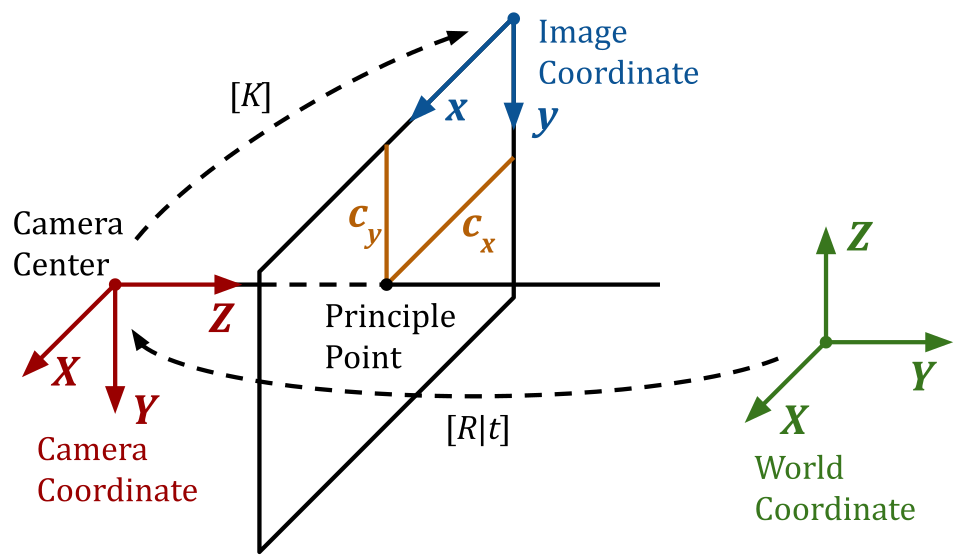

What can you do with CamTools?
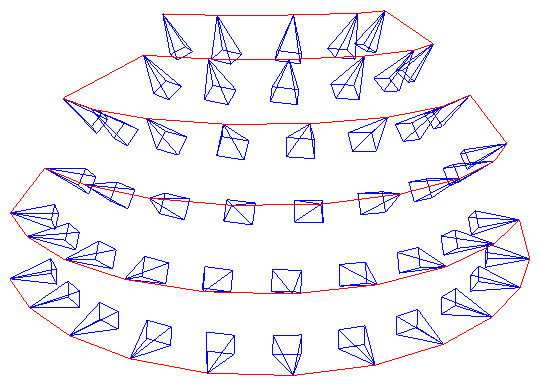
1. Plot cameras
Useful for debugging 3D reconstruction and NeRFs!
import camtools as ct
import open3d as o3d
cameras = ct.camera.create_camera_frustums(Ks, Ts)
o3d.visualization.draw_geometries([cameras])
2. Convert camera parameters
pose = ct.convert.T_to_pose(T)     # Convert T to pose
T    = ct.convert.pose_to_T(pose)  # Convert pose to T
R, t = ct.convert.T_to_R_t(T)      # Convert T to R and t
C    = ct.convert.pose_to_C(pose)  # Convert pose to camera center
K, T = ct.convert.P_to_K_T(P)      # Decompose projection matrix P to K and T
                                   # And more...
3. Projection and ray casting
# Project 3D points to pixels.
pixels = ct.project.points_to_pixel(points, K, T)

# Back-project depth image to 3D points.
points = ct.project.im_depth_to_points(im_depth, K, T)

# Ray cast a triangle mesh to depth image given the camera parameters.
im_depth = ct.raycast.mesh_to_im_depth(mesh, K, T, height, width)

# And more...
4. Image and depth I/O
Strict type checks and range checks are enforced. The image and depth I/O APIs are specifically designed to solve the following pain points:
Is my image of type
float32oruint8?Does it have range
[0, 1]or[0, 255]?Is it RGB or BGR?
Does my image have an alpha channel?
When saving depth image as integer-based
.png, is it correctly scaled?
ct.io.imread()
ct.io.imwrite()
ct.io.imread_detph()
ct.io.imwrite_depth()
5. Command-line tools
The ct command runs in terminal:
# Crop image boarders.
ct crop-boarders *.png --pad_pixel 10 --skip_cropped --same_crop

# Draw synchronized bounding boxes interactively.
ct draw-bboxes path/to/a.png path/to/b.png

# For more command-line tools.
ct --help

6. And more
Solve line intersections
COLMAP tools
Points normalization
And more…